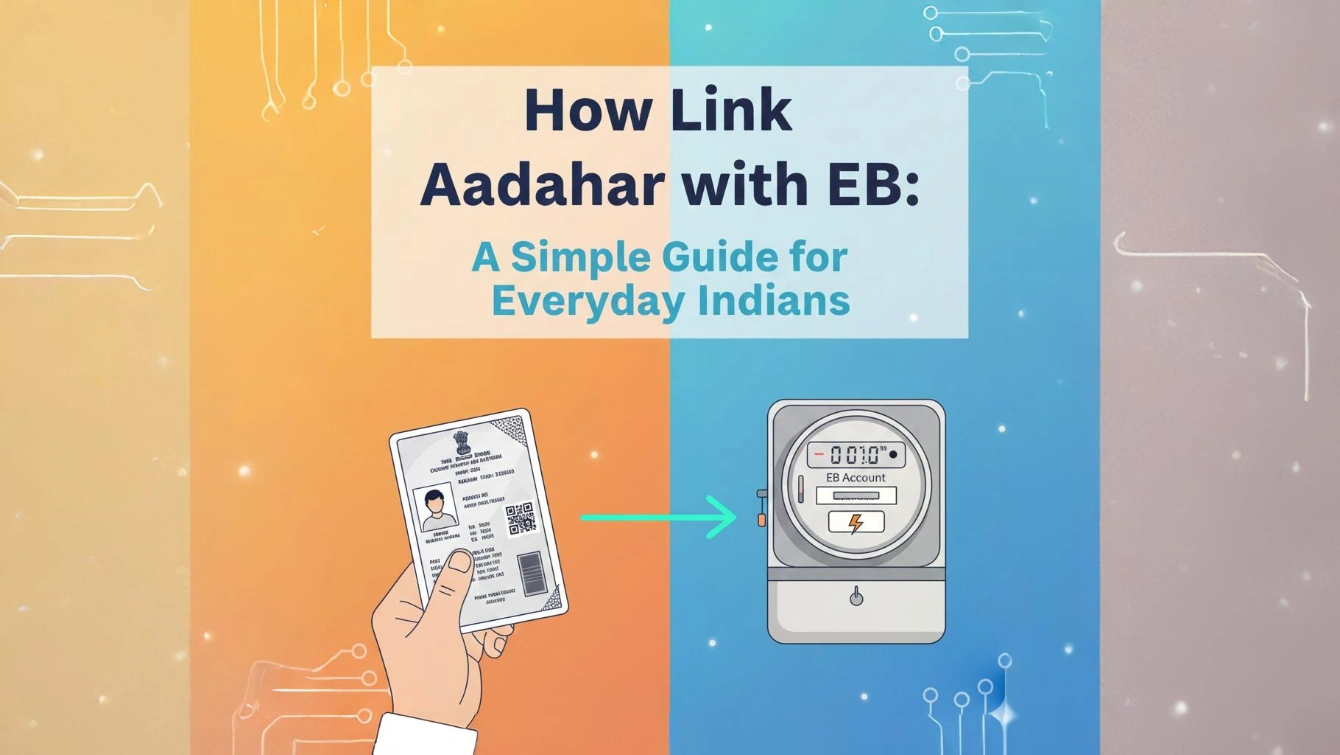
Hey there, friend! 😊 If you’re reading this, you’re probably staring at your electricity bill, wondering why that subsidy isn’t showing up or why the EB folks keep nagging about Aadhaar.
I get it I’ve been there myself. Last year, when I moved to Chennai, my lights were flickering (literally and figuratively) because my Aadhaar wasn’t linked to my EB connection. It felt like a headache, but once I sorted it, everything flowed smoothly. No more chasing subsidies or worrying about disconnections!
In this guide, I’m sharing everything you need to know about linking your Aadhaar with your Electricity Board (EB) account. We’ll keep it super simple no tech jargon, just real talk like we’re chatting over filter coffee.
Whether you’re in Tamil Nadu (where EB means TANGEDCO/TNEB) or another state, the process is pretty similar. It’s all about getting those government perks, like free or subsidized electricity, straight to your bill via Direct Benefit Transfer (DBT). Let’s dive in and make your life easier. Trust me, you’ll thank me later!
Why Bother Linking Aadhaar with Your EB Account?
Picture this: The government promises 100 units of free electricity or hefty subsidies, but poof they vanish because your details don’t match. That’s where Aadhaar linking saves the day. It’s a quick way to verify you’re the real owner of that EB connection.
From what I’ve seen (and official sources confirm), this link helps with DBT schemes under the Ministry of Power. No more middlemen leaking money subsidies hit your bill directly.
Plus, it makes paying bills online a breeze and avoids fake claims. My neighbor aunty missed out on her subsidy for months because she skipped this step. Don’t be like her; it’s worth the 5 minutes!
In Tamil Nadu, for instance, over 2.36 crore households need this for free power perks. Across India, it’s mandatory for schemes like Ujjwala or state-specific rebates. Bottom line? Link it, and sleep better knowing your hard-earned tax rupees are working for you.
What Do You Need Before Starting?
Don’t worry, you won’t need a detective’s toolkit. Here’s the basics grab ’em now:
- Your 12-digit Aadhaar number: Straight from your card or app.
- EB Service Connection Number (SCN): That’s the 13-14 digit code on your bill. (Pro tip: If lost, check your last bill or call EB helpline.)
- Registered Mobile Number: Linked to Aadhaar, so OTPs can ping you.
- Internet Access: For online method (works on phone too!).
- A Quiet Spot: To avoid typos I’ve fat-fingered my Aadhaar once and had to start over. 😂
If your mobile isn’t linked to Aadhaar yet, head to the nearest Aadhaar center first. It’s free and takes 10 minutes. Official UIDAI site has deets on that. Ready? Let’s link it up!
Step-by-Step Guide: Linking Online (Easiest Way)
The online method is my fave do it from your couch in pajamas. It works for TANGEDCO (Tamil Nadu) and most state discoms like BESCOM (Karnataka) or MSEDCL (Maharashtra). I’ll use TANGEDCO as example since “EB” screams Tamil Nadu to me!
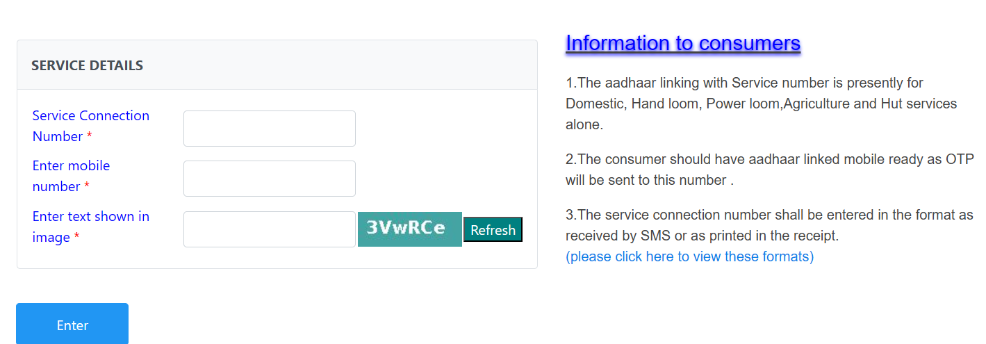
- Fire Up Your Browser: Open Chrome or whatever on your phone/laptop. Head to the official TANGEDCO site: https://www.tangedco.org/en/tangedco/. (For other states, Google “[Your State] Electricity Board official site.”)
- Hunt for Online Services: On the homepage, click “Online Services” at the top. Scroll down to “Consumer Services.” Boom spot “Aadhaar – Link your service connection number.” Click it. Feels like finding hidden treasure, right?
- Fill the Form Like a Pro: A simple box pops up. Punch in:
- Your SCN (from bill).
- Mobile number (yours or the connection holder’s).
- Captcha (those squiggly letters refresh if blurry). Hit “Enter.” If details match, it’ll show the connection owner’s name and address. Double-check!
- Enter Your Aadhaar Magic: Type your 12-digit Aadhaar number. Click “Submit.” Easy peasy.
- OTP Time Grab Your Phone!: An OTP zips to your Aadhaar-linked mobile. Enter it quick (expires in 10 mins). Click “Verify.”
- Victory Dance!: Screen says “Linked Successfully.” You’ll get a confirmation SMS too. Done! Takes under 5 minutes.
I remember my first time heart racing like a Diwali firecracker. But it worked flawlessly. If you’re in another state, like Andhra Pradesh (APEPDCL), their portal has a similar “Aadhaar Seeding” tab. Just swap the URL.
Offline Linking: For the Tech-Shy Folks
Not everyone loves screens. No sweat—offline works great too!
- Visit Your Local EB Office: Find the nearest section office via the discom app or helpline (Tamil Nadu: 1912).
- Grab the Form: Ask for “Aadhaar Linking Form.” It’s free.
- Fill & Submit: SCN, Aadhaar, mobile, and sign. Attach Aadhaar photocopy (self-attested).
- Verify on Spot: They might scan biometrics or send OTP.
- Get Receipt: Keep it safe proof for future queries.
My uncle in Madurai did this way. He grumbled about queues but was done in 15 minutes. Pro tip: Go early morning to beat the crowd.
For DBT-heavy states, banks can help link too, but EB office is direct.
How to Check If Your Link Worked?
Paranoia is real—did it stick? Check status in seconds!
- Online: Back to TANGEDCO site > Online Services > “Aadhaar – Check Link Status.”
- Enter SCN and mobile > Submit.
- It’ll say “Linked” with date, or “Pending.”
SMS “STATUS <SCN> to 1912” for quick alert. I check mine monthly peace of mind!
Common Problems and Quick Fixes
Ah, the bumpy road. I’ve hit most of these—here’s how to zoom past:
- OTP Not Coming? Check signal, or wrong mobile linked to Aadhaar. Fix: Update mobile at UIDAI portal (myaadhaar.uidai.gov.in). Wait 24 hours.
- Name Mismatch? EB name vs. Aadhaar? Update Aadhaar address first via post office (₹50 fee).
- SCN Wrong? Double-check bill. Call helpline: Tamil Nadu 1912, UP 1912, etc.
- Site Down? Happens during peak hours. Try app like “TNEB Bill Pay” or offline.
- No Subsidy After Linking? Takes 1-2 billing cycles. Contact EB with receipt.
- Privacy Worries? Aadhaar is secure UIDAI uses it only for verification, not sharing. I’ve linked mine everywhere; no issues.
If stuck, UIDAI helpline 1947 is gold. They’re patient, like a helpful cousin.
FAQ: Your Burning Questions Answered
Got doubts? I’ve rounded up real ones folks Google daily. Straight from official vibes!
Q1. Is linking Aadhaar with EB mandatory?
Answer: Yes, for subsidies in most states. Skip it, and free units vanish!
Q2. How long does it take to reflect?
Answer: Instant for linking, 15-30 days for subsidy credit.
Q3. Can I link for someone else’s connection?
Answer: Only if you’re the owner or authorized. Power of attorney helps.
Q4. What if I have multiple connections?
Answer: Link each SCN separately. Easy batch job!
Q5. Is there a fee?
Answer: Yes, But a minor fees!
Wrapping Up: You’ve Got This, Champ!
Whew! We covered it all from why to how, pitfalls to triumphs. Linking Aadhaar with EB isn’t a chore; it’s your ticket to hassle-free power and perks. I did it, my family did it, and now it’s your turn. Imagine that bill dropping lower feels good, na?